Your agent writes. You decide.
REI Harness turns work with AI agents into a process with a specification, human approval and evidence, inside your own repository.
Responsibility matrix
| Phase | Leader | Spec Author | Implementer | Reviewer |
|---|---|---|---|---|
| Responsible | Not involved | Not involved | Not involved | |
| Not involved | Responsible | Not involved | Not involved | |
| Not involved | Not involved | Responsible | Not involved | |
| Not involved | Not involved | Not involved | Responsible | |
A human sign-off releases the sheet. Silence is not approval. | ||||
The same case, two outcomes
AI agents and LLMs write code from a conversation. When deciding, planning and executing all happen in the same conversation, nothing is recorded and nobody can review the decision. The harness separates those three things and puts the decision in writing.
The conversation decides for you
Same case: “add a status filter to the list”. With no written scope, the agent starts with the code.
Late scope
The LLM writes the filter before the scope is clear: nobody agreed where it applies or which states it covers.
Hallucinations
It invents an API or a piece of data and presents it as true.
Unauthorized decisions
It changes the architecture or the scope without an approval to back it.
Out-of-bounds actions
It touches data or environments that are not its own to test the change.
Rework
Fast code is expensive to fix; the decision only ever existed in the chat.
Illustrative example of the mechanism; it does not reproduce a real conversation.
The sheet decides before the code
The same case becomes a Work Item: a reviewable plan, a human sign-off and evidence in the repository.
Work Item
The Leader records the scope, the type and the pending state before any code is written.
Planning
The Spec Author delivers reviewable requirements, design and tasks.
Approval
The person reviews and signs; the CLI records the move to in_progress. Silence is not approval.
Implementation
The Implementer executes only the approved plan and leaves verification evidence.
Review
The Reviewer verifies against the plan; done requires a favorable verdict.
Illustrative example built with the harness's real states and roles.
One sheet, one sign-off, evidence
REI does not slow the agent down: it gives it a process. It separates deciding, planning and executing; each stage leaves an artifact you can read and review.
Walk through the first Work ItemSpecification first
The plan exists before the agent writes the first line.
Human approval
No Work Item moves to implementation without an explicit sign-off.
Separate roles
Leader, Spec Author, Implementer and Reviewer stay within their own work.
Versioned evidence
Planning, progress and history live in
.rei/, not in the chat.
Approval is not a formality
A Work Item goes through five states. The gate is not before or after the work: it sits between the plan and the code. No control on this page approves anything; the sign-off is recorded from the CLI.
The gate's artifacts are readable without JavaScript; on mobile the cycle reads top to bottom.
pending
The Leader records the Work Item and agrees the scope.
ready
The Spec Author delivers reviewable requirements, design and tasks.
A human sign-off releases the sheet. Silence is not approval.
requirements.md
What must be met and how it is verified.
design.md
How it is solved and which alternatives were discarded.
tasks.md
Execution order with checkable tasks.
The sign-off is recorded from the CLI; this page does not approve.
in_progress
The Implementer executes only the approved plan.
review
The Reviewer verifies against the plan and the checkpoints.
done
Terminal state: approved work and evidence in the repository.
blockedThe work cannot continue.
changes_requestedThe review rejected the implementation and asks for changes.
Branches, not shortcuts. Only one Work Item can be in in_progress at a time.
Explicit roles, explicit limits
Each role gets its own contract and does not step into another's work. Open any role, keyboard included, to read its responsibility and its limit.
The gate sits between Spec Author and Implementer; the Initializer is a side branch that does not go through the Work Item cycle. The native OpenCode and Claude Code adapters are optional; Cursor and Codex work through a fallback.
Leader
Understands the request, chooses the workflow and coordinates the other roles.
Does not implement, except in the authorized direct mode.
Spec Author
Turns a pending Work Item into a reviewable technical plan.
Never implements.
Planning approval
Implementer
Implements only the approved plan and leaves verification evidence.
Does not change the scope or the plan.
Reviewer
Validates the work against the plan and the project's checkpoints.
Does not implement: approves or requests changes.
Initializer
Guides the customization of the project documentation after rei init.
Does not implement code nor write outside the customization documents.
The Initializer prepares the repository; it neither approves nor implements Work Items.
The terminal leaves what the chat does not
A real snapshot of rei items status next to the Work Item's planning tree. There is no video or simulated playback: the text is what the CLI produced.
The capture is dated (2026-10-27); the states change over time.
- rei items status
- Work Items:
- - 2026-10-27_00-31__estrategia-producto-web [done] (type: task)
- - 2026-10-27_01-54__fundaciones-visuales-shell-docs [done] (type: feature)
- - 2026-10-27_02-59__tests-logica-jest [done] (type: task)
- - 2026-10-27_03-17__contenido-producto-flujo [done] (type: feature)
- - 2026-10-27_11-04__pulido-home-copy-aprobacion [done] (type: task)
- - 2026-10-27_11-36__conceptos-guias-docs [done] (type: feature)
- - 2026-10-27_12-08__referencia-operacion-docs [done] (type: feature)
- - 2026-10-27_20-34__pulido-hero-inline-github-issues [done] (type: task)
- - 2026-10-27_22-04__home-demostrativa-playwright [in_progress] (type: feature) << ACTIVO
- Only one Work Item can be in in_progress at a time.
rei items status in this repository. The state of the Work Items changes over time.Swipe or use the arrow keys to see the full line..rei/specs/<id>/
requirements.md
What must be met and how it is verified.
design.md
How it is solved; discarded alternatives.
tasks.md
Execution order with checkable tasks.
meta.json
id, type, state, base commit and review.
rei view shows the Work Item, it does not approve it
A real capture of the local viewer: rendered documents, table of contents, validation and FICHA. It is read-only and has no buttons that pretend to approve.
Capture taken with pnpm capture:evidence on 2026-10-27; the viewer is served locally and is not part of this website.
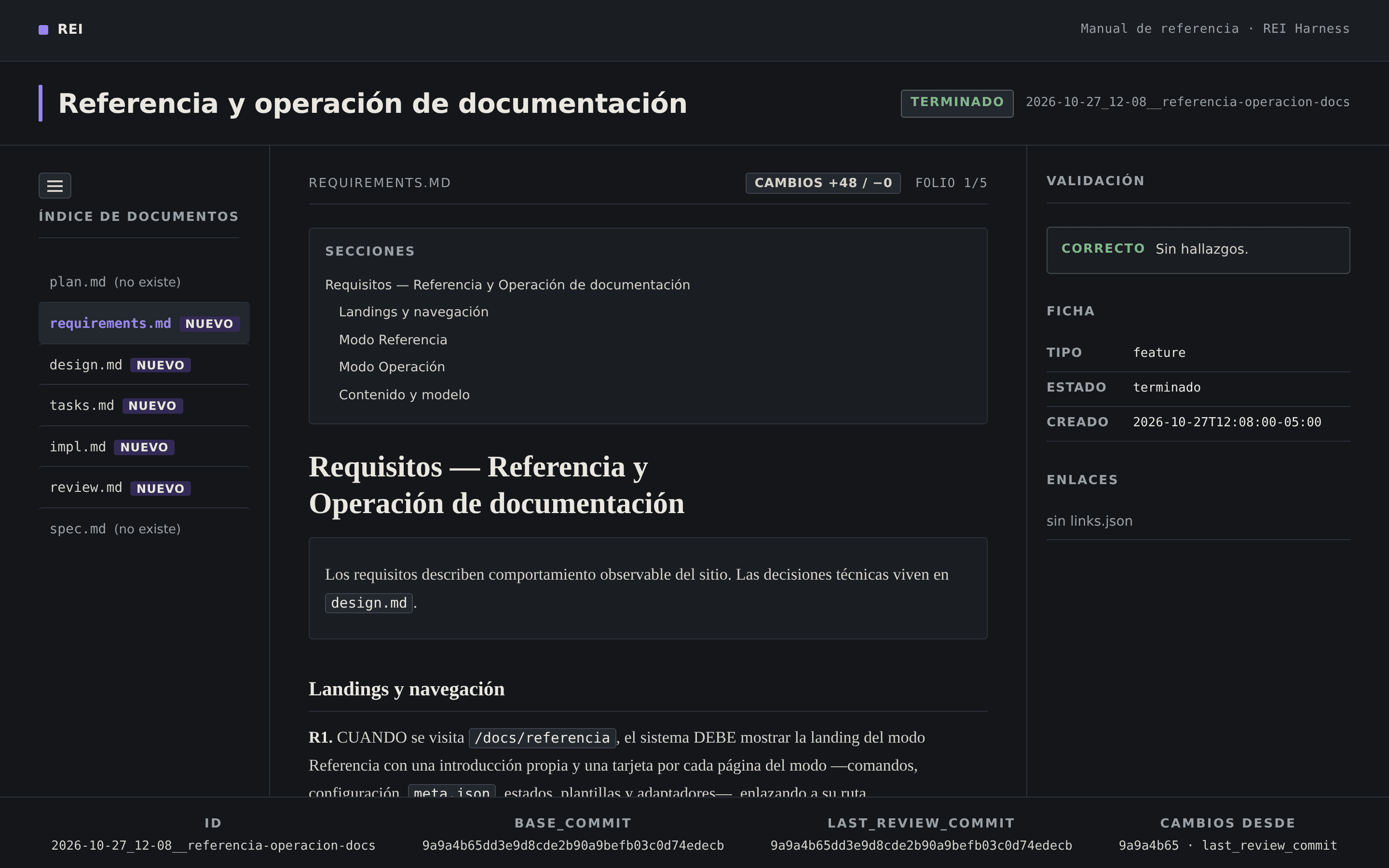
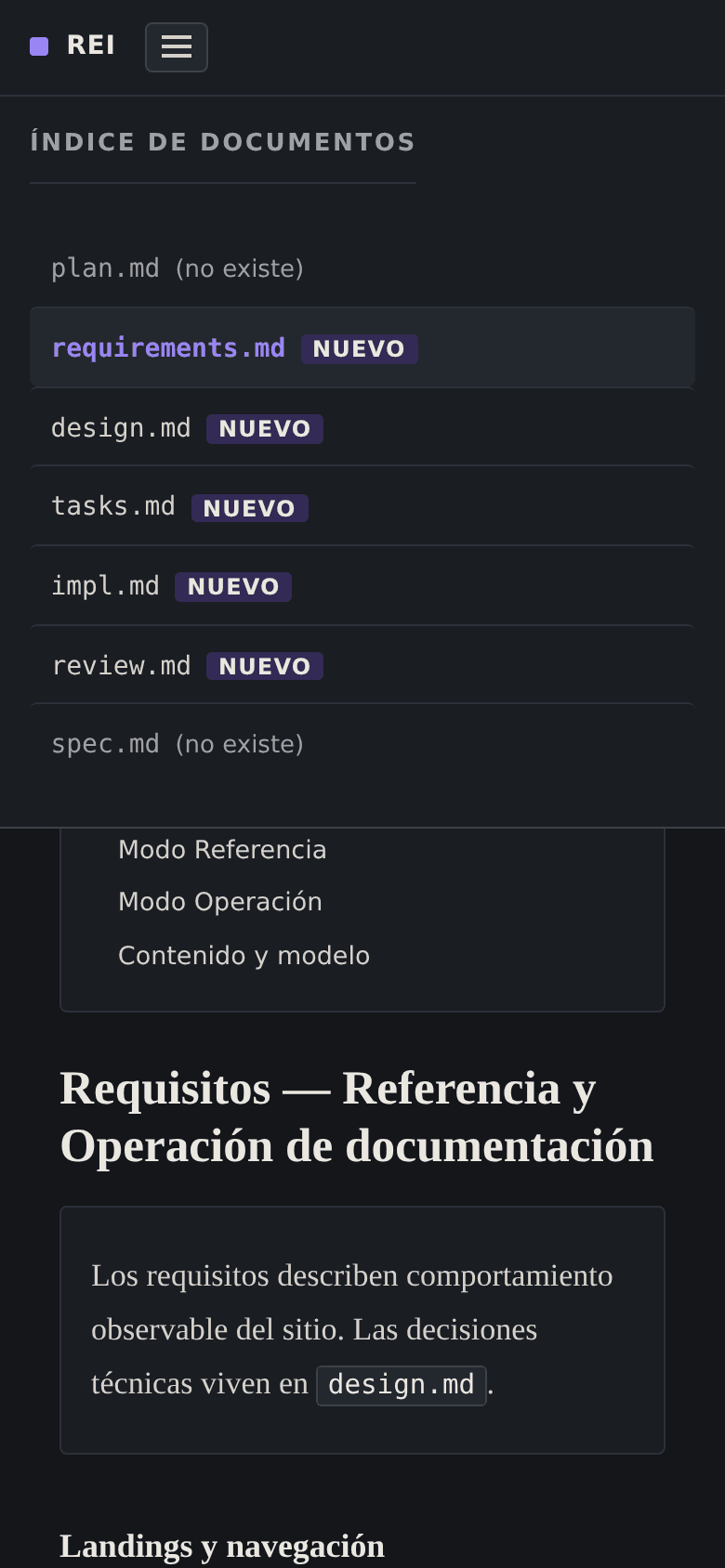
The index lists the Work Item's documents; those that do not exist are marked «no existe».
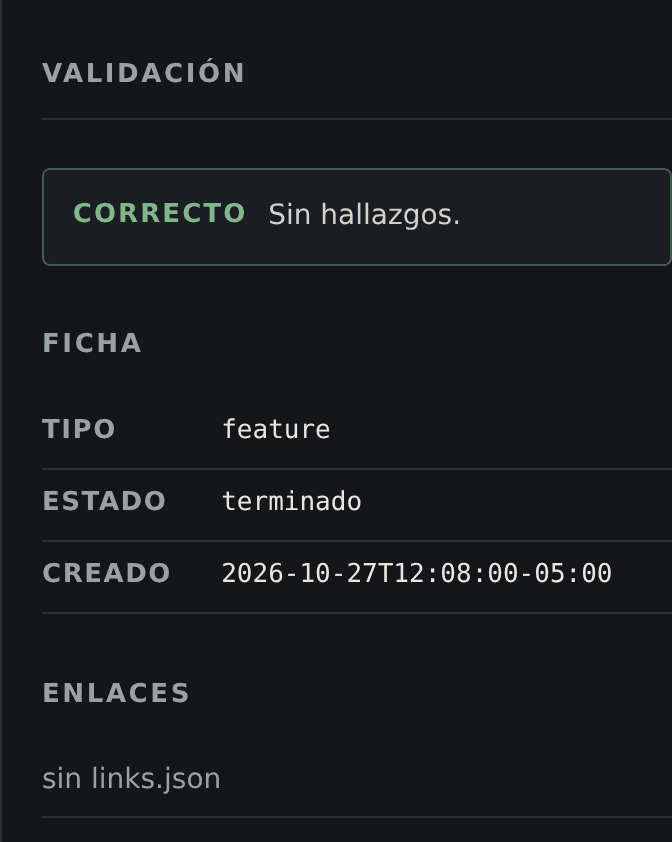
The viewer shows the checkpoint results next to the FICHA, with the real state of the work.
The Work Item's type, state, date and links. There is no approval button or route.
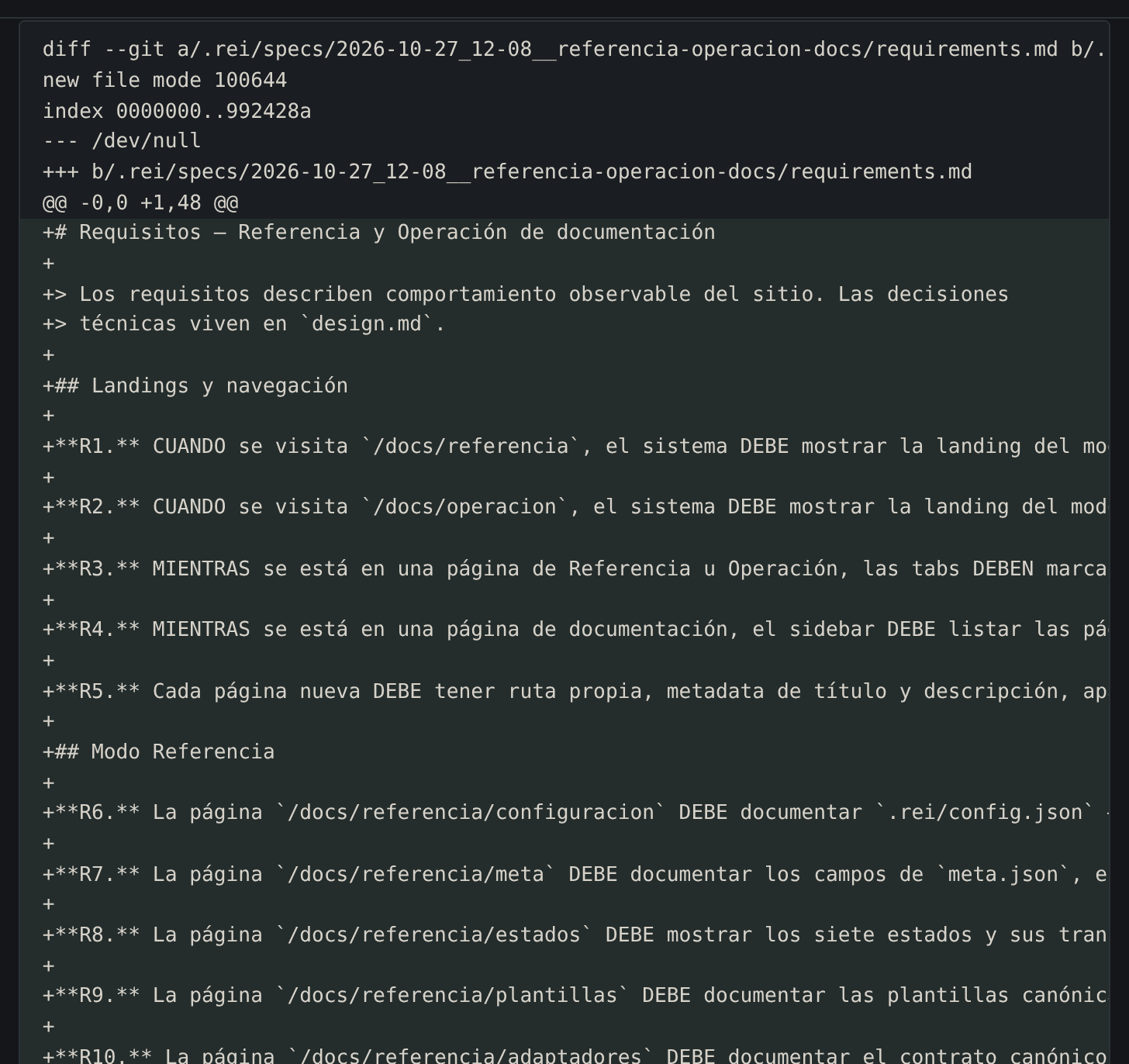
If there are changes against the review base, the viewer publishes them; here they appear as added lines.
Viewer diff for requirements.md: Cambios +48 / −0 (48 lines added, none removed).
The crop shows the start of the diff; the full capture stays in the Work Item's evidence. View full capture
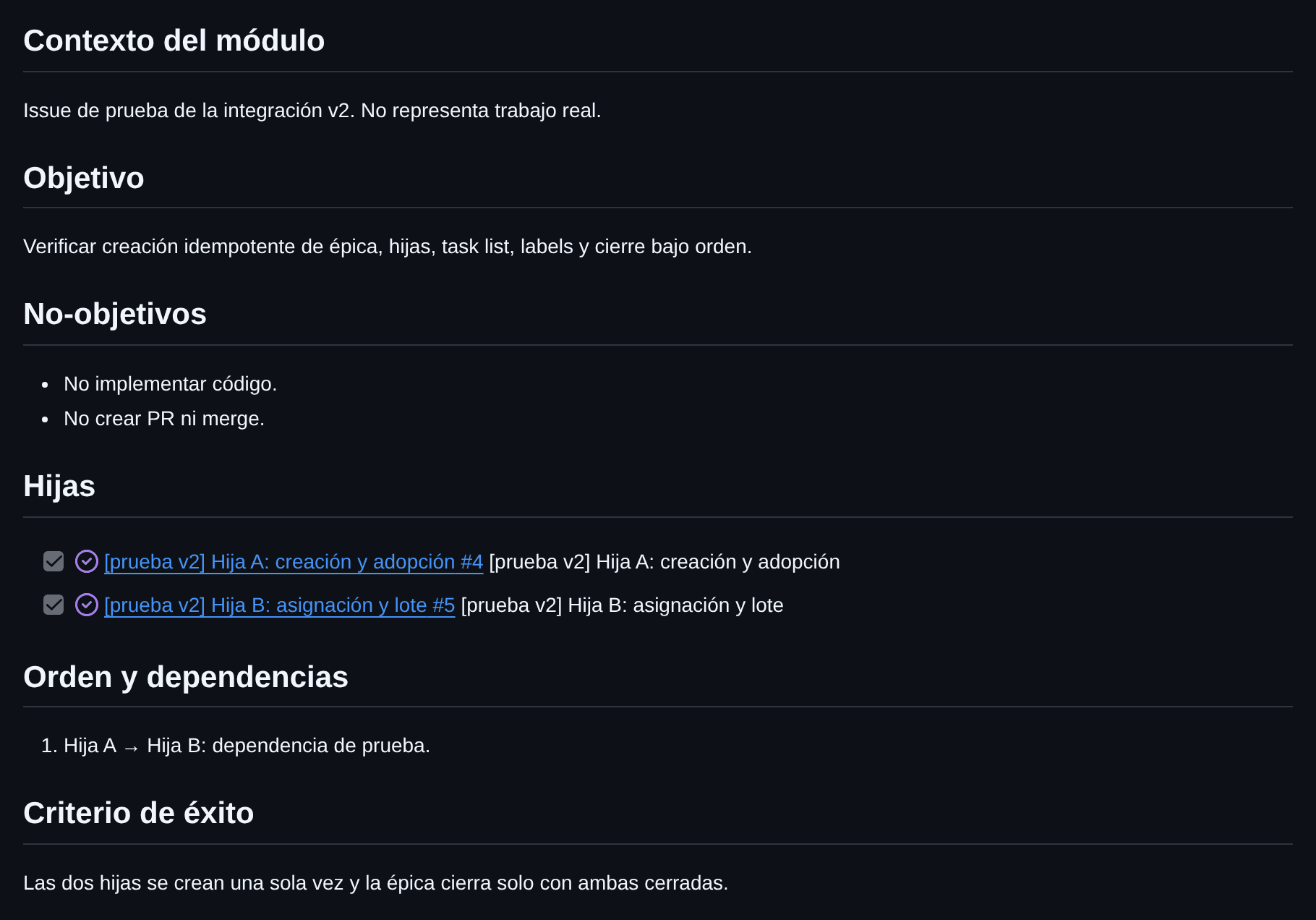
GitHub Issues is a projection, not the source of truth
The integration is optional and does not change where the state lives. These are real captures of the public issues in the REI Harness repository: they are closed and shown with their published state.
The CLI never calls GitHub: gh and git do, under the Leader's explicit order.
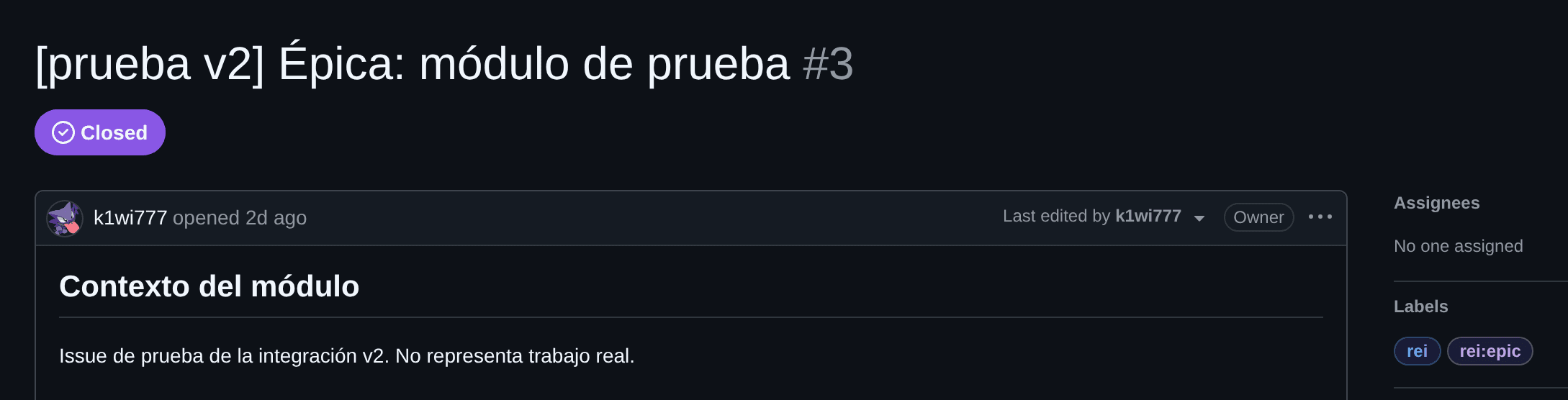
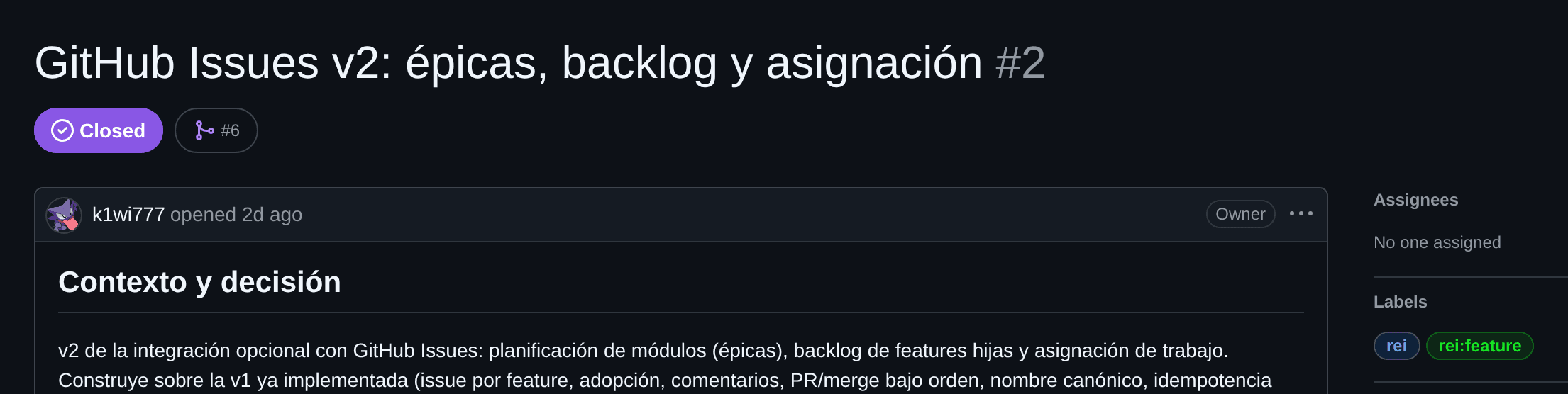
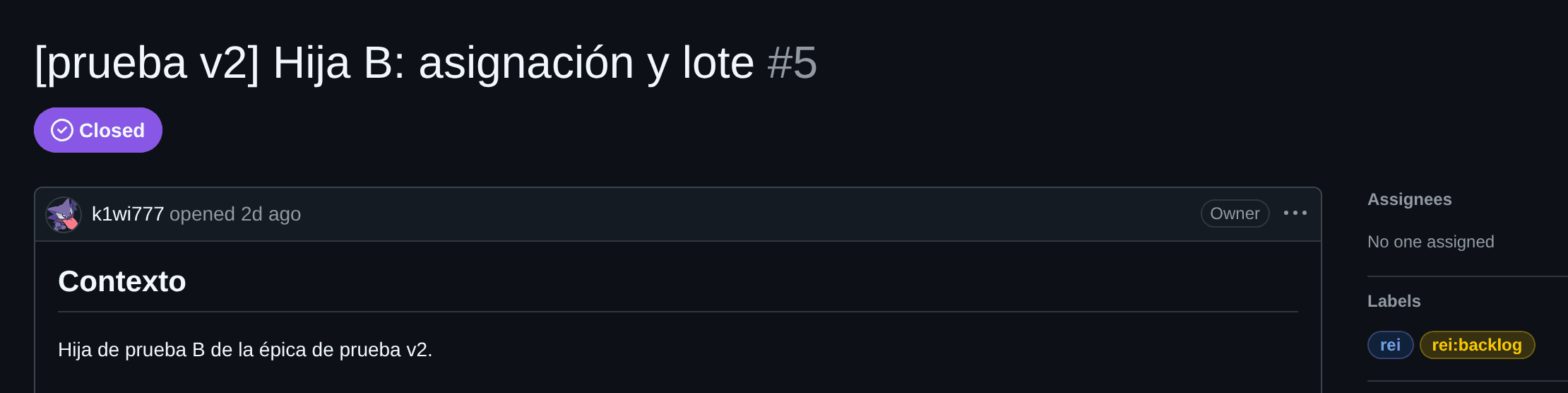
.rei/specs/<id>/
Planning, progress and history live in the repository, not in the issue.
It exists, is assigned and is closed as a reflection of the Work Item.
It holds the work the Reviewer verifies.
It proposes the change; `.rei` still rules over the state.
Optional integration: enable it with rei github enable and the flow works without it.
What the website does not do
Showing the limits is part of the proposal: the website documents the harness, it does not replace it.
Check the commandsNo search or version selector
The navigation, the table of contents and a predictable URL structure cover the current volume.
The viewer is read-only
Approval is recorded from the CLI, not from the browser.
GitHub Issues is optional
It is not the source of truth for the Work Item nor a requirement to work.
Direct mode is restricted
It only applies to trivial changes that are explicitly requested.
The website does not run commands
It does not modify Work Items nor replace the CLI or the viewer.
Install REI and open your first Work Item
Your agent writes; you decide. One binary, one command and a plan approved before implementation. The evidence stays in your repository.